AI Voice Agents for Businesses: How They Integrate With Your Existing Tools
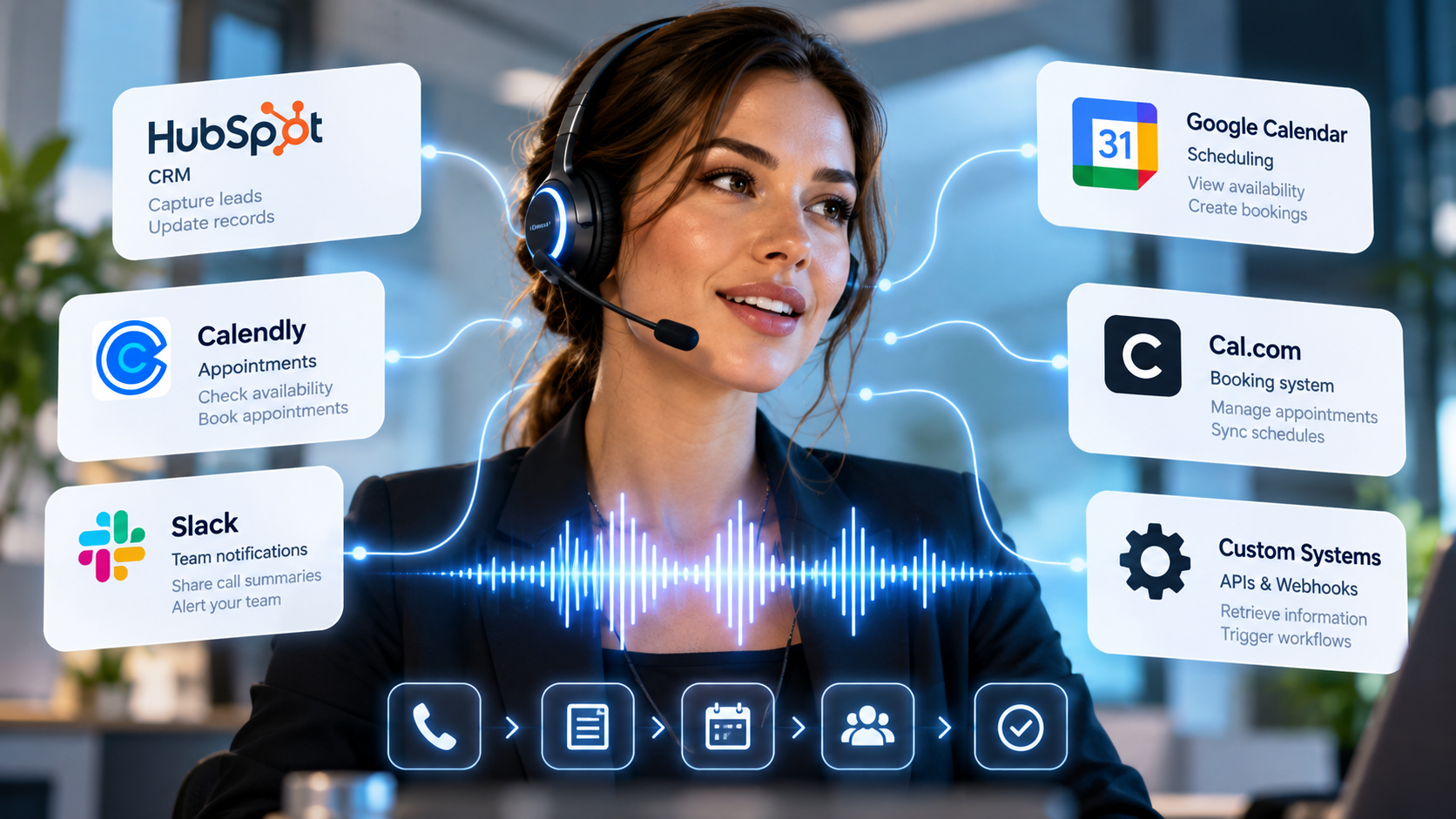
Businesses already rely on a range of digital tools to manage customer relationships, schedule appointments, process enquiries, and coordinate daily operations. But when phone calls are handled separately from these systems, employees often have to transfer information manually, update records, and repeat the same administrative tasks.
AI voice agents can help bridge this gap.
Rather than simply answering calls, an AI voice agent can connect with your existing business applications to retrieve information, update records, schedule appointments, and trigger workflows during or after a conversation.
For businesses looking to automate customer communication without rebuilding their entire technology stack, these integrations can make voice AI significantly more useful.
1. What Does AI Voice Agent Integration Mean?
AI voice agent integration is the process of connecting a voice AI system to the software and services your business already uses.
For example, when a customer calls to book an appointment, the voice agent can interact with a connected calendar to check availability, offer suitable times, and create a booking.
Similarly, when an existing customer calls with a question, the agent may be able to retrieve relevant information from a connected CRM, depending on the permissions and integrations configured.
Without these connections, a voice agent may be limited to answering questions using its existing knowledge. With integrations, it can participate in actual business workflows.
Common integration methods include APIs, webhooks, native integrations, and automation platforms. The appropriate method depends on the systems involved and the actions the voice agent needs to perform.
2. Connecting AI Voice Agents to Your CRM
Customer relationship management (CRM) systems store important information about customers, prospects, sales activities, and previous interactions.
Connecting an AI voice agent to a CRM can help businesses deliver more informed and consistent customer experiences.
Depending on the integration, a voice agent can:
Retrieve relevant customer information during a call.
Capture details from new enquiries.
Create or update customer records.
Record call summaries and outcomes.
Qualify sales leads using predefined questions.
Trigger follow-up tasks for the sales or support team.
For example, when a prospective customer calls a real estate agency, an AI voice agent could collect their preferred location, budget, and property requirements. It could then send these details to the agency's CRM so that a sales representative can follow up.
This reduces manual data entry and helps ensure that important information is captured consistently.
CRM integration is particularly valuable for businesses handling large volumes of enquiries, where missing or incomplete customer information can affect sales opportunities.
3. Automating Appointments With Calendar and Booking Integrations
Appointment scheduling is one of the most practical applications of AI voice agents.
Businesses such as clinics, salons, hotels, consulting firms, and service providers regularly receive calls from customers who want to check availability, schedule appointments, or change existing bookings.
When connected to a supported calendar or booking system, an AI voice agent can help automate these processes.
A typical appointment workflow may involve:
A customer calls and requests an appointment.
The voice agent identifies the requested service and preferred time.
The connected calendar or booking system provides available slots.
The agent offers suitable options to the customer.
After the customer confirms, the system creates the booking.
A confirmation or follow-up notification is triggered if the relevant workflow is configured.
For businesses using tools such as Calendly or Cal.com, integrations can help connect telephone conversations with existing scheduling workflows.
The main advantage is that customers can arrange appointments through a natural conversation without requiring an employee to manage every booking manually.
Businesses should ensure that the integration checks current availability and confirms successful bookings before telling customers that an appointment has been scheduled.
4. Connecting Voice AI to Communication and Collaboration Tools
AI voice agents can also connect telephone interactions with the tools employees use to collaborate and manage their work.
For example, an integration with Slack can help notify a team when a high-priority enquiry arrives, a customer requests a callback, or a conversation requires human assistance.
Depending on the configured workflow, businesses can use these connections to:
Send notifications about important calls.
Alert employees when an issue needs attention.
Share call summaries with relevant teams.
Notify sales representatives about qualified leads.
Escalate customer requests that the AI cannot resolve.
Imagine a customer calling a service company to report an urgent issue. The AI voice agent collects the relevant information and triggers a notification to the appropriate team.
Instead of relying on an employee to listen to the entire call and manually communicate the details, the business can route the information into its existing workflow.
These integrations help reduce the gap between customer conversations and the teams responsible for acting on them.
5. Using APIs and Webhooks to Connect Custom Business Systems
Not every business uses the same software. Some rely on industry-specific applications, internal databases, custom-built platforms, or legacy systems.
APIs and webhooks can help connect AI voice agents to these environments.
An API allows one application to request information or perform an action through a defined interface. A webhook sends information to another system when a specified event occurs.
Together, these technologies can support workflows such as:
Retrieving order or delivery information.
Checking service availability.
Creating support tickets.
Updating customer records.
Submitting enquiry details to internal systems.
Triggering notifications or follow-up processes.
For example, an e-commerce business could connect its voice agent to an order management system so that callers can request updates about their purchases.
A service provider could connect its agent to an internal scheduling platform that is not supported by a standard integration.
These possibilities depend on the availability of suitable APIs, authentication methods, permissions, and reliable error handling. Sensitive actions should also include appropriate validation and safeguards.
6. How PraixAgent Fits Into Your Existing Business Workflow
PraixAgent is designed to help businesses deploy AI voice agents for customer communication and operational workflows.
Instead of treating voice AI as a standalone answering service, businesses can connect their agents to supported applications and configure them to perform relevant tasks.
PraixAgent supports integrations with tools such as HubSpot, Slack, Cal.com, and Calendly, enabling businesses to connect customer conversations with CRM, collaboration, and scheduling workflows. The exact capabilities available depend on the integration and configuration.
Businesses can use these capabilities to build workflows for lead capture, appointment scheduling, customer enquiry handling, team notifications, and other repetitive tasks.
PraixAgent also offers different voice engines for different conversational requirements:
Swift V2 prioritises speed, with latency as low as 200 milliseconds and support for up to 32 languages.
Omnia V2 focuses on expressive conversations, with multilingual capabilities, adaptive delivery, interruption handling, and contextual memory.
Lingua V2 is designed for cross-lingual conversations and workflows, supporting 29 languages and the ability to adapt when a caller changes languages during a conversation.
These voice capabilities complement business integrations: the voice engine handles the conversation, while the connected systems provide the information and actions needed to complete the workflow.
Explore PraixAgent at https://praixagent.com.
7. What to Consider Before Integrating an AI Voice Agent
Before connecting an AI voice agent to your business applications, consider the following factors.
Compatibility
Confirm that your existing tools support a native integration, API, webhook, or another reliable connection method.
Data Access and Permissions
Give the agent access only to the information and actions required for its intended purpose. Sensitive records and high-impact actions should have appropriate safeguards.
Accuracy and Reliability
Test how the integration handles unavailable information, failed requests, duplicate bookings, and interrupted workflows. The agent should not claim that an action succeeded unless the connected system confirms it.
Security and Privacy
Customer information should be handled securely, with appropriate access controls, retention policies, and safeguards for any personal data processed during calls. Businesses should assess their applicable data protection obligations and the responsibilities of their technology providers.
Human Escalation
Not every request should be automated. Make sure customers can be transferred to an employee or directed to an appropriate support channel when the conversation requires human judgement or the system cannot complete the requested task.
Ongoing Monitoring
Review call outcomes, integration failures, customer feedback, and workflow performance. Regular monitoring helps identify where automation is working well and where improvements are needed.
Conclusion: Connect Conversations to Action
AI voice agents become more valuable when they can interact with the systems that run your business.
By connecting voice AI to CRM platforms, calendars, collaboration tools, and custom applications, businesses can move beyond simply answering calls. They can automate routine workflows, capture customer information, coordinate appointments, and help employees respond more efficiently.
The best integration strategy starts with a specific business problem. Identify the repetitive task, determine which system needs to be involved, and build a reliable workflow around it.
With the right configuration, AI voice agents can become a practical part of your existing technology stack rather than another disconnected tool.
Ready to connect voice AI with your business workflows?
Explore PraixAgent at https://praixagent.com and discover how AI voice agents can help your business automate customer conversations and everyday tasks.